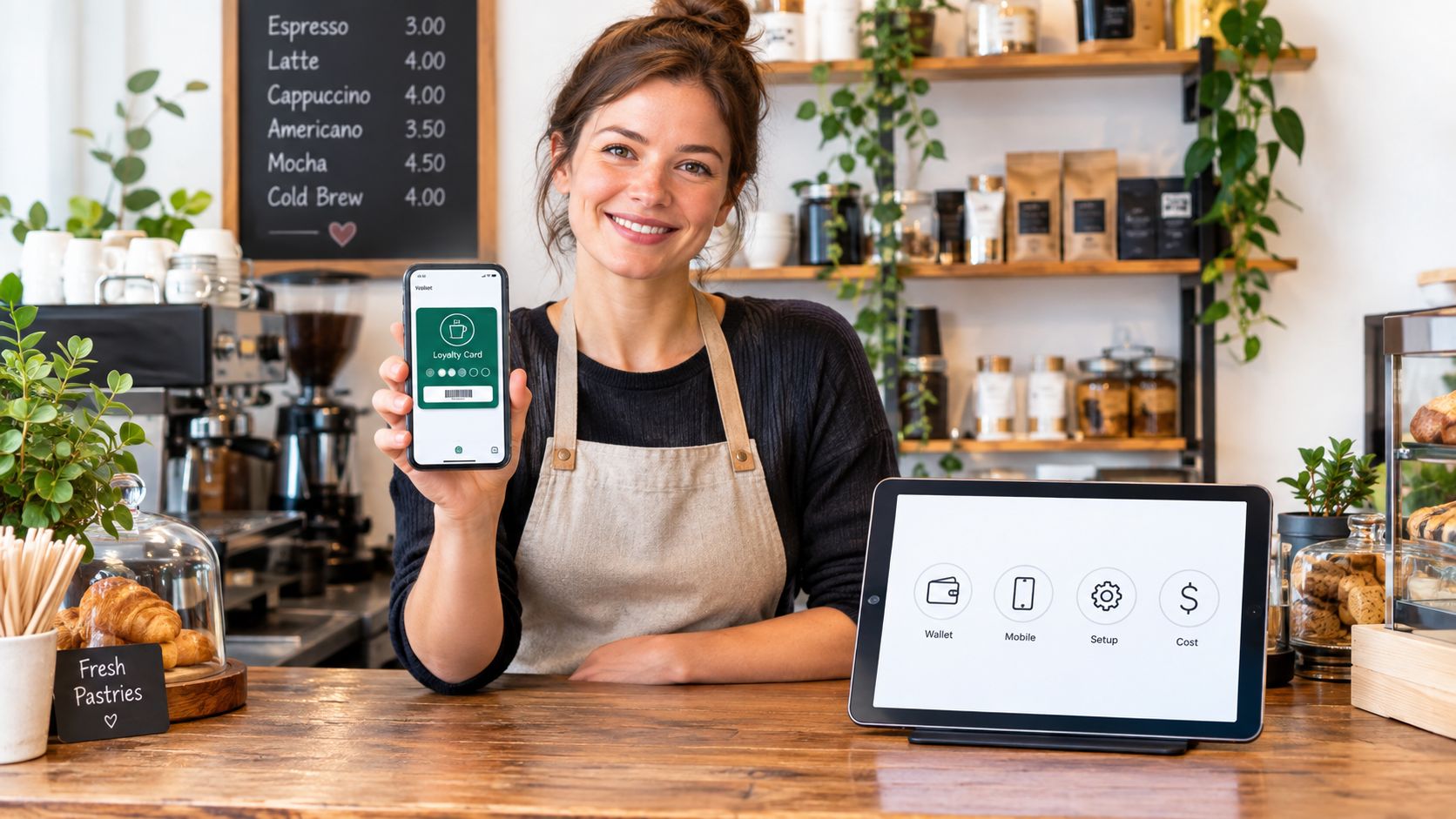
A Saturday lunch rush is underway. One customer asks whether the café has a loyalty program, another is ready to pay, and the card terminal is taking its time. Your new rewards software should make that moment easier. If it sends the cashier searching through menus while the queue grows, the reward itself won't save the program.
Choosing restaurant loyalty program software is an operations decision before it's a marketing decision. The right tool fits the way your staff take orders, identify regulars, and resolve redemption questions when service is busy. Only then should you focus on which reward will bring customers back.
Table of Contents
- Why Your Loyalty Tool Choice Matters More Than Your Reward Design
- Points and Stamps Through a Restaurant Lens
- Features That Actually Matter at the Counter
- How Wallet Passes Work in a Restaurant Service Flow
- Launching a Program in Your First Week of Operation
- When a Lightweight Program Is Enough and When It Is Not
- Choosing and Running Your Program Without Regret
Why Your Loyalty Tool Choice Matters More Than Your Reward Design
At the counter, loyalty succeeds or fails in small interactions. A regular wants credit for an order placed through a takeaway channel. A new customer wants to join without downloading an app. A staff member needs to check whether a reward is available without slowing the next order.
If those tasks require a separate terminal, a password reset, or an explanation that holds up the queue, your team will start skipping them. Customers will notice. A generous offer can't compensate for a program that staff can't run consistently.
Start with the service moment
Map the actual workflow before you compare vendors. Decide how a customer joins, how staff find an existing member, how purchases earn credit, and how redemption gets approved. Include the awkward cases: a customer who pays in cash, a phone with no signal, a missed scan, and a disputed balance.
A loyalty tool also shapes what the operator can see. If staff record visits inconsistently, the resulting data won't help you recognize regulars or spot a drop in activity. Keep the process simple enough that the team can follow it during the rush, then use the information the system collects to make sensible decisions.
Restaurant rewards have already become familiar to U.S. diners. The National Restaurant Association's 2024 Restaurant Technology Landscape Report found that 52% of adults participated in a restaurant, coffee shop, snack place, or deli loyalty program. Among participants, 96% said membership was a good way to get more value for their money, and members belonged to an average of 3.6 programs. Those findings point to a practical reality: customers may like the savings, but they're not necessarily devoted to just one brand.
Practical rule: If a new cashier can't explain how to enroll someone and process a reward during training, simplify the workflow before you promote the offer.
Points and Stamps Through a Restaurant Lens
Points and stamps are familiar mechanics, but they suit different transactions. Choose the earning rule that matches how customers order, not the one with the longest feature list.
Match the mechanic to the ticket
With points, a customer earns credit based on spending or another defined action. In a café, that might mean awarding points according to the value of an order. A customer buying coffee and a pastry earns more than someone buying coffee alone, and the operator can set rewards around the pattern of spending.
With digital stamps, a customer collects a mark for a visit or qualifying item, then earns a reward after completing the card. This is easy to explain at a bakery or coffee counter: buy a qualifying item, collect a stamp, work toward a free treat. A stamp card feels tangible without requiring staff to calculate a changing balance.
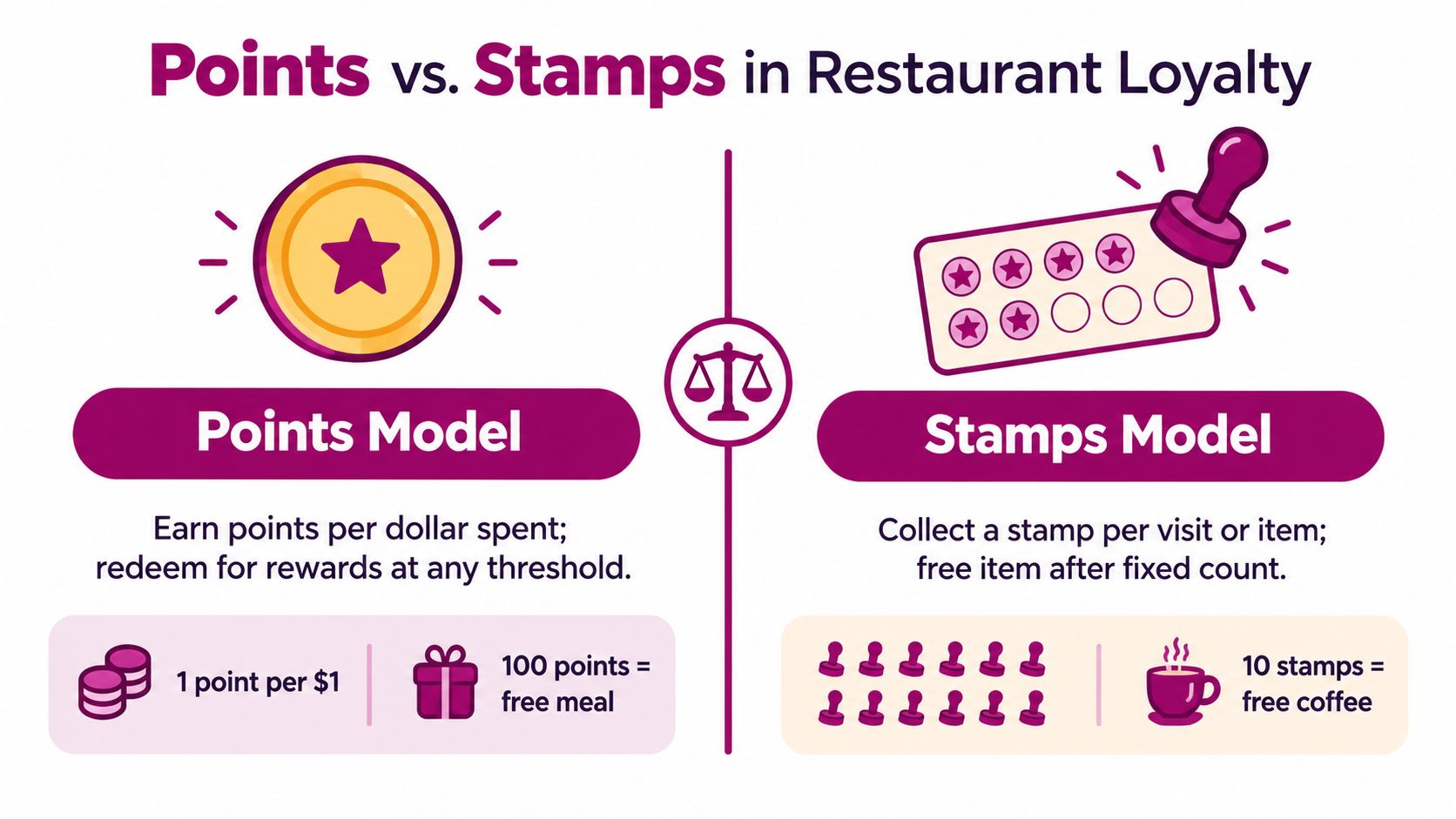
The difference matters when orders vary. Stamps are straightforward when customers buy similar items or return for a routine purchase. Points make it easier to reflect different basket sizes, mixed menus, or table-service orders where one visit might involve a small order and another a full meal.
| Criterion | Points | Digital stamps |
|---|---|---|
| Earning logic | Credit tied to spending or a qualifying action | A stamp tied to a visit or item |
| Best fit | Mixed baskets and varied ticket sizes | Frequent, familiar purchases |
| Customer explanation | Requires a clear balance and reward threshold | Usually easy to describe at the counter |
| Main operational risk | Customers may find the conversion hard to follow | A visit-based rule may not reflect order value |
| Reward planning | Set rewards against spend and margin | Set the card length and qualifying purchase carefully |
Set a reward customers understand
The threshold should feel reachable without giving away too much value on orders that would have happened anyway. If it takes too long to earn anything, customers may ignore the program. If the reward arrives too easily, the cost can eat into margin, especially when it applies to popular, low-margin items.
For full-service restaurants or businesses with a wide range of order values, points can offer more control. For a coffee shop or bakery where visits look much alike, stamps may be easier for both guests and staff. If you're deciding between the two, use this restaurant points-versus-stamps comparison to pressure-test the mechanic against your service style.
Features That Actually Matter at the Counter
A vendor's feature list won't tell you how the product behaves with a queue at the door. Test the moments your team handles repeatedly: identifying a member, recording an eligible order, checking a reward, and fixing an error.
Compare the operating trade-offs
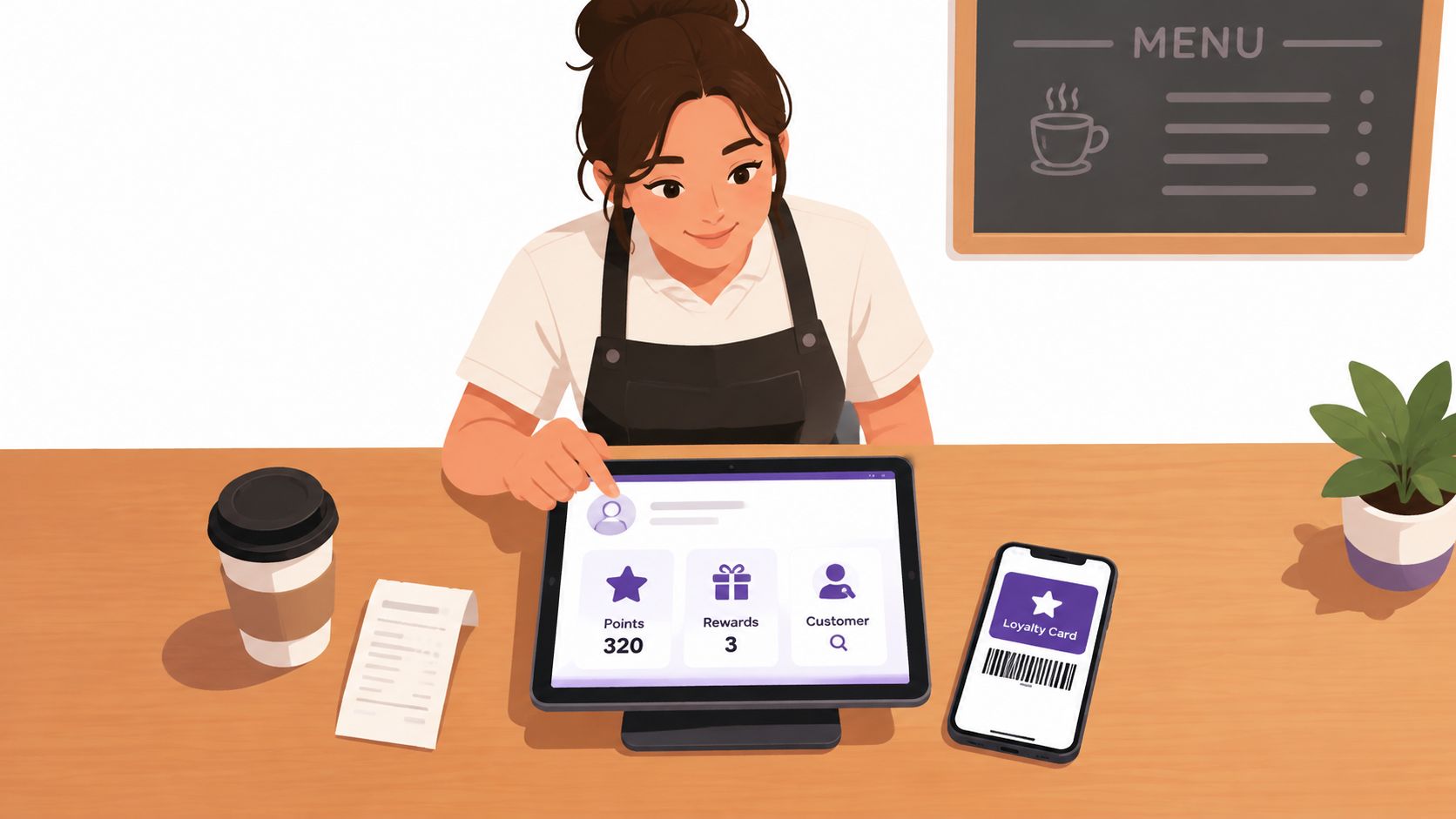
A phone-administered tool can suit a small team that needs a simple enrollment and reward workflow without adding dedicated equipment. A POS-integrated platform can automatically connect purchases to loyalty activity, but it ties the program more closely to your existing system and may require setup across the wider stack.
| Counter need | Phone-administered tool | POS-integrated platform |
|---|---|---|
| Identify a member | Staff can look up or scan a digital credential | Member details may connect to the checkout flow |
| Takeaway orders | Staff need a clear manual or digital process | Can be smoother when ordering channels are connected |
| Table service | Staff may need to record activity separately | Orders may feed the program through the POS |
| Make a quick change | Often manageable from a phone | May involve a broader admin interface or configuration |
| See customer activity | Basic program reports may cover core use | Can connect loyalty to transaction reporting |
| Keep the setup portable | Less dependent on a specific POS | More closely tied to the POS and its integrations |
Treat the table as a shopping lens, not a universal scorecard. Ask a vendor to demonstrate how a cashier records a purchase, how a guest presents a reward, and what happens when the network connection drops. Then ask who can correct a mistaken transaction and whether the correction leaves a clear record.
Don't assume “integrated” means every channel is covered. A POS link may handle counter purchases but leave delivery orders or social-channel sales outside the program. Conversely, a phone-based setup can be practical for an independent operator, but it requires clear staff routines for recording and checking activity.
Ask for a live demonstration using your own order types, including a cash purchase, a takeaway order, and a reward redemption.
How Wallet Passes Work in a Restaurant Service Flow
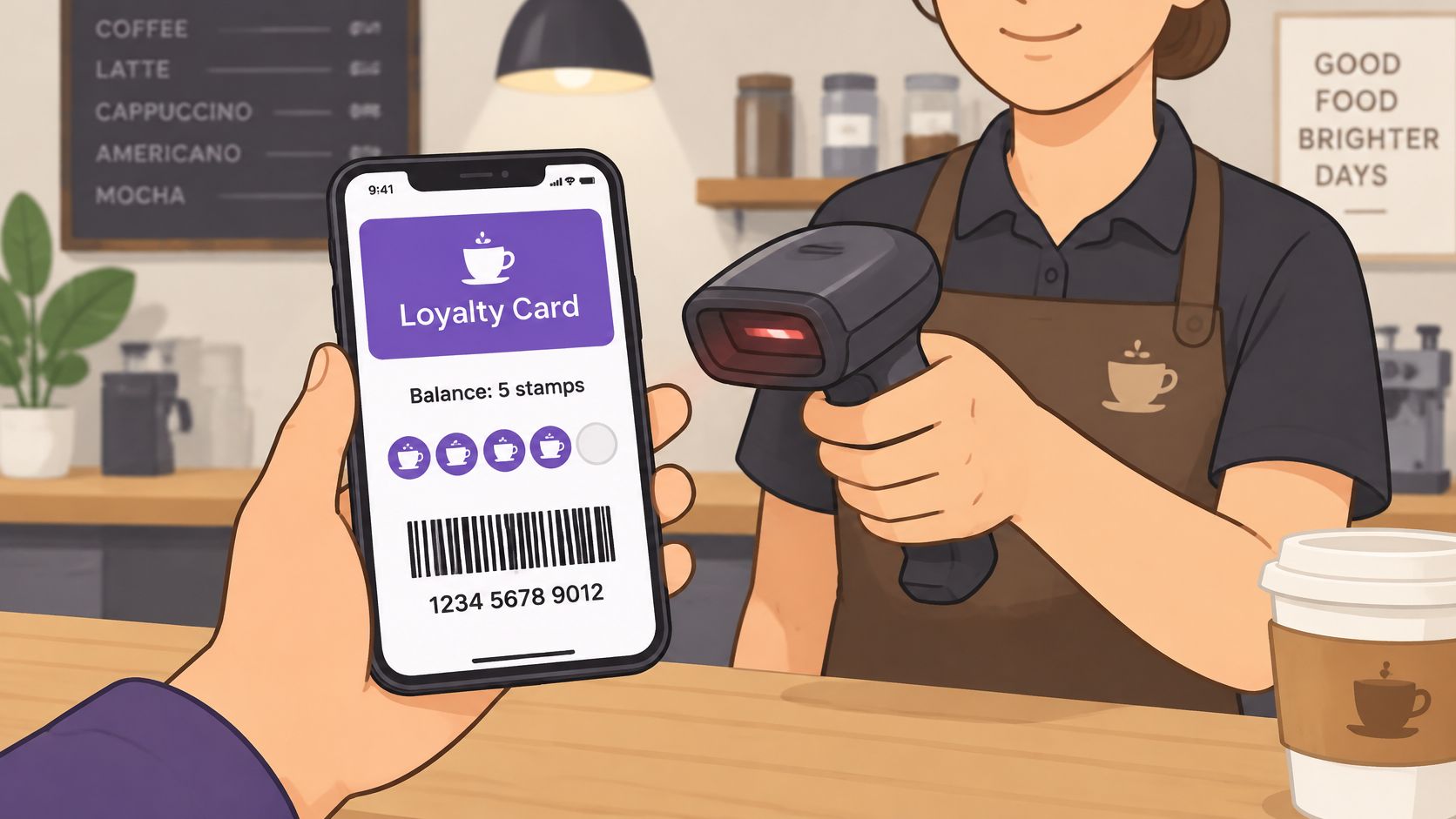
A wallet pass gives the customer a digital loyalty credential to present from a phone. In a typical counter flow, the customer opens the pass, staff scan or check the member identifier, and the system records the earn or redemption. The pass makes identification convenient, but it doesn't replace the system that validates the transaction.
Treat the pass as a doorway, not the ledger
Show the customer a stable member identifier and useful reward information, but validate redemption against the live account. A pass displayed on a phone may not reflect the latest balance if it hasn't updated. Staff should be able to confirm the current status in the loyalty system rather than rely on an image or an old balance shown on-screen.
A weak connection changes the workflow. Decide in advance whether staff will pause the transaction, use an approved fallback, or ask the customer to return to the redemption step when the system is reachable. Don't promise that a pass can redeem rewards offline unless your software has been tested to support that. Have a simple recovery path for a locked phone, a low battery, or a customer who can't open the pass.
Wallets also shouldn't be treated as the only channel. Oracle Hospitality's global consumer loyalty survey found that 65% of U.S. respondents belonged to at least one restaurant loyalty program. Preferred management methods varied: 62% favored plastic swipe cards, 40% favored mobile apps, and 14% globally preferred mobile wallets. That spread supports offering a fallback, rather than assuming every customer wants to manage rewards the same way.
You can see the basic wallet-pass experience in this demonstration:
For an independent café or takeaway, a wallet pass can reduce sign-up friction, but it still needs a dependable account lookup and recovery process. This guide to Apple Wallet loyalty cards covers the pass format; evaluate the whole journey, including enrollment, first purchase, reward validation, and what staff do when the phone can't be used.
Launching a Program in Your First Week of Operation
A calm launch starts with a tested counter routine, not a big announcement. Keep the program small enough to explain in one breath, and let the team practice before customers encounter it.
Prepare before inviting customers
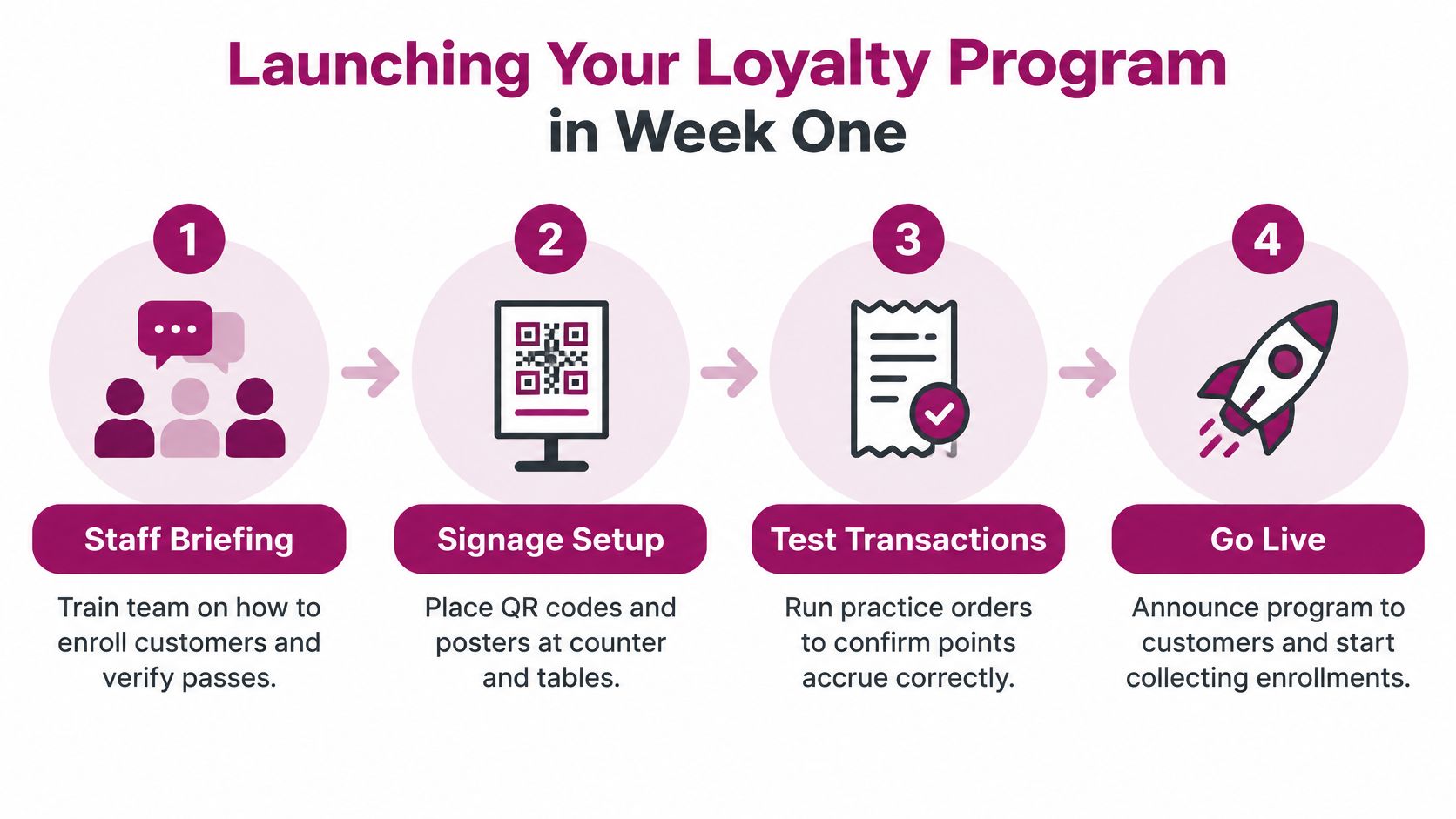
Brief staff on the earning rule, what qualifies, how to enroll someone, and how to check whether a reward is ready. Keep the explanation practical: “Scan to join, show your pass when you pay, and we'll add your visit.” Staff should also know what to do if a customer's account can't be found or the system is unavailable.
Set up signage where customers can act without blocking the queue. A QR code at the counter can help a customer enroll while waiting, but staff should still be ready to explain the offer and assist someone who doesn't want to scan it.
Test the awkward bits
Before going live, run practice transactions from start to finish. Confirm that the right purchase earns credit, that the pass displays what customers need to know, and that a redemption is recorded only once. Test a correction too. A program that works only when everything goes right isn't ready for a busy shift.
The first customer interaction should be short. Mention the program as part of checkout, then let the guest decide. If a walk-in wants to join but doesn't want to do it at the counter, give them a clear way to enroll later rather than holding up service.
During the opening period, watch four measures: enrollment rate, conversion to a second visit, redemption rate, and reward liability. These answer different questions. Enrollment shows whether customers are joining; second visits indicate whether members return; redemption shows whether rewards are being used; liability helps you understand what outstanding rewards may cost.
Use this loyalty program launch playbook to organize the work, then review staff feedback before changing the offer. Fix unclear instructions and inconsistent recording first. Don't add complex campaigns to compensate for a workflow the team hasn't settled into.
When a Lightweight Program Is Enough and When It Is Not
Most independent restaurants should begin with a lightweight program. A phone-administered points or stamp setup can cover the basics: customer identification, earning, reward tracking, and straightforward redemption. You don't need a large data platform to learn whether your regulars understand the offer and whether your team can run it consistently.
A lightweight tool is especially useful when sales happen mainly at one counter, the menu and reward rules are simple, and the operator can review activity without assembling data from several systems. It can also suit a business that sells through social channels, where adding an app download or complex checkout integration would create more friction than value.
Know when the simple setup has reached its limit
The case for deeper integration gets stronger when your operation needs a shared view across locations, connected ordering and payment channels, or segmentation that depends on multiple kinds of customer behavior. If staff must reconcile transactions by hand or customers regularly earn through one channel but can't redeem through another, the lightweight approach is costing you time and trust.
That doesn't mean every operator should buy a data platform early. A 2025 restaurant technology report found that 64% of brands were consolidating technology stacks to support AI, while loyalty-specific spending fell 8% year over year and data-platform investment rose 11%. The report also found that 87% considered unified payments essential to a complete guest view. For independents, the useful lesson is to invest in connected data when the business can act on it, not just because the category is gaining attention.
Treat customer information carefully whichever platform you use. Collect only what you need to run the program, explain the value customers receive in return, and make it clear how they can manage their participation. Before committing to more complex tooling, ask how the vendor supports customer-data deletion or portability requests in the markets where you operate.
A sensible upgrade trigger is operational, not aspirational: deeper POS integration starts to pay off when manual work is creating errors, disconnected channels obscure customer activity, or the team can't measure the behavior it wants to influence. Until then, keep the program understandable and review its core measures regularly.
Choosing and Running Your Program Without Regret
Take a short checklist into a vendor demo. Don't let a long feature list distract you from the counter test.
- Member identification: Can staff find or scan a customer quickly, including when the customer doesn't use an app?
- Earning and redemption: Can you explain the rules plainly, and can staff correct a mistake without improvising?
- Channel coverage: Does the program account for how you sell, including takeaway, delivery, table service, or social orders?
- Service recovery: What should staff do when a phone, network, or account lookup fails?
- Reporting: Can you distinguish customers who joined from customers who returned, redeemed, or stopped visiting?
- Costs and portability: What work, integrations, and customer records would you need to address if you changed systems?
Ask the vendor to demonstrate a complete order, from enrollment through redemption, with a staff member playing the customer and another running the counter. A polished dashboard won't tell you whether your cashier can handle the flow when several people are waiting.
Loyalty can also be a customer-recognition system, not just a discount engine. A 2025 Brand Loyalty study found that 50% of people shopping daily felt recognized as individuals by a favorite brand to a significant extent, compared with 19% of people shopping online once a year (Brand Loyalty study). For a restaurant, that makes it worth tracking whether the program helps you respond to visit patterns with relevant recognition, rather than sending the same discount to everyone.
Choose software your team can operate without slowing service and your margins can support. Then ask the vendor one question: Can my cashier explain, earn, and redeem this reward during a Saturday rush without calling a manager?
Loyal Customer offers phone-administered points and digital stamp programs, along with Apple Wallet and Google Wallet passes for customer enrollment and identification. Try a simple program with your real counter workflow, then visit Loyal Customer to explore the platform.