Most shop owners assume that knowing how to use punch card programs starts and ends with buying a rubber stamp and printing a stack of cardboard rectangles. The numbers tell a different story. In a California Management Review academic review, one cited European study found that only 20 to 25% of enrolled loyalty members earned or redeemed credits during the preceding 12 months, and another source in that same review put the worldwide redemption rate at about 13.6%.
Cards don't fail because customers dislike free coffee or a complimentary haircut upgrade. They fail at the counter during a rush, when nobody knows what to do about a forgotten card, a double stamp, an expired reward, or a regular who doesn't carry a smartphone.
Running a punch card that brings people back comes down to disciplined checkout habits. You need a clear step-by-step routine for staff, a format that fits how your regulars pay, a stamp target people can finish, and written fixes for the messy counter moments that usually derail loyalty programs.
Table of Contents
- How to Use a Punch Card Step by Step
- Choosing Between Paper and Digital Punch Cards
- Stamp Targets and Rewards Customers Actually Finish
- Setting Up a Digital Punch Card and Its Exceptions
- Redemption Problems and How to Fix Them
- Measuring Results and Launching the Card
How to Use a Punch Card Step by Step
Loyalty programs aren't reserved for national chains anymore. In 2023, Cordial reported that 68% of B2C companies with fewer than 250 employees had a loyalty program, based on a survey of U.S. consumers and B2C marketers. Small cafés, barbershops, and neighborhood bakeries rely on punch cards because the mechanics take five seconds to explain.
Every punch card runs on three moving parts: one qualifying purchase (such as one barista-made coffee or one completed haircut), one stamp per qualifying visit, and one defined reward earned when the card is full. Say a neighborhood café runs an 8-stamp card where a completed card earns one free drink. A regular who stops by three times a week finishes that card in under three weeks, fast enough to keep the reward top of mind.
Before you hand out a single card, print the exact qualifying purchase directly on the card face. If bottled water or retail coffee beans don't count toward a drink stamp, write that rule in plain English right above the stamp grid. Ambiguity at sign-up turns into arguments at checkout.
The Six-Step Counter Workflow
Consistent checkout execution keeps your stamp counts honest and your line moving. Train every team member to follow these six steps in exact order on every visit:
- Ask for the card before taking payment. Asking while you ring up the order ties the stamp to a real sale and stops staff from stamping cards for canceled or declined transactions.
- Confirm the purchase qualifies and check ownership. Verify that the item matches your printed rule and confirm the card belongs to the person standing in front of you, either by name on a digital profile or by card number on a paper card.
- Add exactly one stamp per qualifying transaction. Even when a regular buys four lattes for the office, sticking to one stamp per visit keeps the habit focused on return trips rather than single bulk orders. If you want to reward order size instead of visit frequency, a points program fits better than a punch card.
- Say the new count aloud. Calling out "six of eight" takes one second, lets the customer catch an accidental double stamp immediately, and reminds them how close they are to finishing.
- Mark a full card as reward-ready. When the final box fills up, mark the reward ready right away and tell the customer clearly that they can claim it on their next visit (or apply it on the spot if your shop allows same-visit redemption).
- Verify, redeem, and reset at checkout. When a customer comes in to claim the prize, check that the reward is still valid. A completed stamp card is exchanged for the reward at checkout, so apply the discount or free item right at the register, then reset the digital balance or hand over a fresh card before they step away.
Counter rule: Never stamp a card before payment clears. Stamping early feels friendly during a busy morning rush, yet it guarantees free stamps on declined cards, wrong orders, and walk-aways.
What Customers Should Check Before Walking Out
A smooth punch-card routine works both ways. Customers who know how to use a punch card properly avoid almost all disputes at redemption. Make these three habits easy for regulars to follow:
- Keep the card within reach before paying: Whether it sits in a phone wallet or the front slot of a physical wallet, having it ready prevents checkout bottlenecks and forgotten stamps.
- Ask for the stamp before leaving the counter: Retroactive stamps from yesterday's crumpled receipt create awkward guesswork for staff and slow down the queue behind you.
- Check the stamp total before stepping away: Glancing at the card takes two seconds and catches a missed tap or accidental double punch while the receipt is still on screen.
You can tell a well-run card at a glance. A healthy completed card shows one clean row of stamps, a single marked reward, and a clear validity date printed or displayed where nobody has to squint for it.
Choosing Between Paper and Digital Punch Cards
Format shapes every checkout interaction you'll have for the next year. A bakery selling loaves at a Saturday farmers' market doesn't have the same checkout constraints as a busy city espresso bar or a multi-chair hair salon. Look closely at what customers carry, what staff do on each visit, and where each option tends to break before you print cards or configure software.
| Format | Customer needs | Staff work per visit | Main weakness | Best fit |
|---|---|---|---|---|
| Paper punch card | Carries a physical card | Hand-punch one hole | Lost or forgotten cards, easy to over-punch | Bakeries and market stalls |
| Digital stamp card by QR code | Opens or scans a code | Scan code or search by name | Depends on customers opening the link | Micro-merchants selling via Instagram or WhatsApp |
| Apple or Google Wallet pass | Adds the pass to the phone wallet | Scan at checkout | Needs a compatible phone | Cafés and salons with regular visitors |
| Points program | Earns points on each payment | Add points per payment | Harder to explain than stamps | Restaurants and retailers with variable spend |
Paper cards cost almost nothing up front, which is why new owners default to them. The hidden cost shows up a month later: cards get washed in jeans pockets, left on kitchen counters, or accidentally over-punched by a rushed cashier who punches two holes instead of one.
Digital QR cards wipe out lost-card complaints because the stamp count lives in a cloud record instead of a square of cardstock, though checkout slows down if a customer has to hunt through text messages to reopen a browser link. Wallet passes stored natively in Apple Wallet or Google Wallet skip that friction. The loyalty card updates by itself after every visit, so the customer adds the pass once and never has to log in again.
For small shops that don't want to buy barcode scanners or pay for a full point-of-sale overhaul, phone-operated tools bridge the gap cleanly. For instance, Loyal Customer runs a digital points program or digital stamp card from a phone, with no hardware and no app for customers, and setting up the card takes a few minutes in the Loyal Customer app. If you're weighing physical printing costs against digital convenience, this breakdown of digital vs paper loyalty cards walks through the trade-offs in greater detail.
Three Rules for Matching Format to Your Shop
Instead of guessing based on what the shop down the street uses, apply three plain decision rules to your actual customer base:
- Keep paper or run a hybrid with name lookup when a large share of your regulars are older, pay mostly in cash, or prefer keeping their phones in their pockets.
- Choose a QR card or wallet pass when most regulars visit at least once a week and already tap their phones to pay.
- Switch to a points program when basket size swings wildly from visit to visit, such as a restaurant where one table orders lunch specials and the next orders dinner for four.
Why You Must Commit Before Launch
Pick your format before you hand out card number one. Switching from paper to digital, or moving regulars from fixed stamps to spend-based points mid-stream, forces staff to migrate half-finished balances by hand during live shifts. Every manual transfer creates a chance to miscount a customer's progress, and regulars remember a lost stamp far longer than they remember a smooth promotion.
Stamp Targets and Rewards Customers Actually Finish
Sign-ups feel good on paper, yet unused cards don't bring in repeat revenue. Recent loyalty-industry coverage from 99minds reports that 40% of consumers forget to use their rewards and that many belong to programs they rarely use. Enrollment isn't engagement, and the fastest way to kill engagement is picking the wrong number of stamps.
Match your stamp target directly to how often a realistic regular walks through your door. Here is a practical starting grid built around common visit cadences:
| Visit frequency | Stamp target | Typical completion time | Reward example |
|---|---|---|---|
| Daily visitors, such as coffee shops and takeaways | 8-10 stamps | 8-10 days | One free drink or pastry |
| Weekly visitors, such as salons and barbers | 5-6 stamps | 5-6 weeks | Free add-on such as a treatment upgrade |
| Monthly visitors, such as gyms and studios | 3-5 stamps | 3-5 months | One free class or a session discount |
More stamps isn't better. Stretching a coffee shop card to 15 stamps or a hair salon card to 12 stamps makes the finish line look months away, so customers stop bothering to pull the card out after visit two. At the other extreme, setting the bar too low or giving away an overly generous reward erodes your gross margin and trains regulars to delay normal purchases until they can cash in a freebie.
A punch card works when the customer can picture the free reward inside their normal routine, not half a year from now.
Tie every reward directly to the gross margin of what you give away. A café with high-margin espresso drinks can comfortably absorb a free coffee after 8 to 10 visits on a short validity window. A salon or fitness studio needs a longer validity period and a reward tied to a higher-margin service, like a conditioning mask or a single studio class, rather than discounting a full-price cut that eats up an hour of stylist labor. If you want concrete reward structures suited to different shops, browse these practical stamp card ideas before printing your rules.
Testing Two Card Lengths Before Locking In
You don't have to guess whether 6 stamps or 8 stamps performs better for your crowd. Split your launch into a straightforward four-to-six-week field test using two matched customer groups, giving Group A the shorter card and Group B the longer card.
Track four numbers side by side across both groups: completion rate, redemption rate, incremental visits per customer, and gross margin per enrolled customer. Whichever length generates higher net margin after reward costs wins. Once you lock in the winner, state your expiry rules and partial-progress terms clearly at sign-up so every customer knows upfront what happens if an unfinished card sits unused past the cutoff date.
Setting Up a Digital Punch Card and Its Exceptions
Moving from a cardboard card to a phone-based card eliminates printing runs, yet most setup guides stop right after showing you how to pick a color palette. They skip the questions cashiers face on a Tuesday afternoon when Wi-Fi flickers or a regular drops their phone in the sink.
Below is an example of how a phone-based digital stamp card interface lets you configure your stamp layout and icon choices before going live.
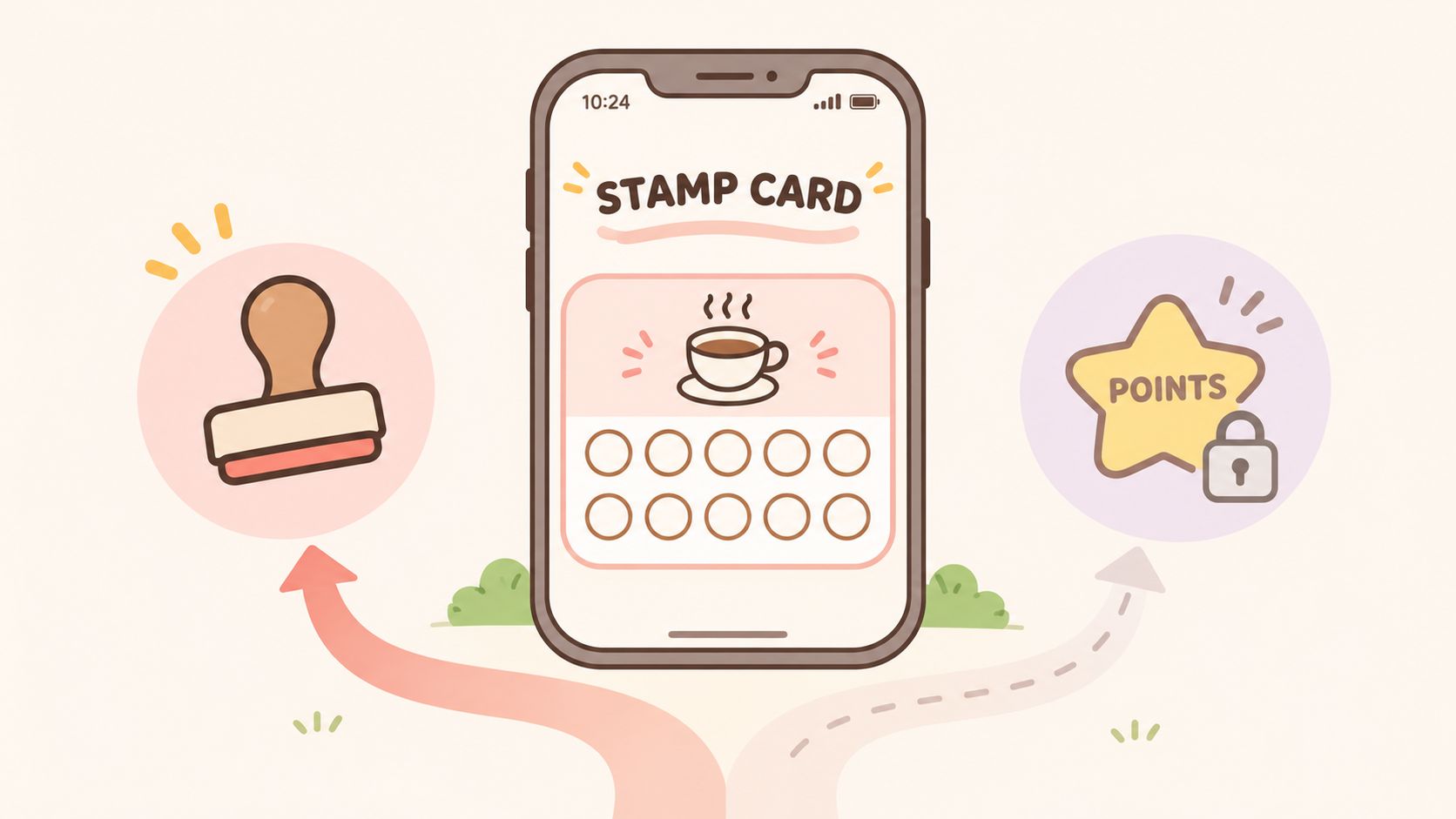
As Stempely points out, QR-based and wallet-based cards can avoid mandatory app downloads and may support Apple Wallet and Google Wallet, which makes sign-up easy for shoppers. Still, cutting sign-up friction doesn't mean dropping verification. A card that requires no password or personal profile still needs clear checkout controls so nobody can self-scan repeatedly or rack up stamps through staff mistakes.
Five Steps to Configure Your Digital Card
Setting up a clean digital card takes five focused decisions before you place a QR sign on the counter:
- Choose a stamp card or a points program first. Loyal Customer's guided setup recommends whether points or a stamp card suits your business, and it lets you preview the wallet card before launch. This choice matters because once a program is launched, its type (points or stamp cards) cannot be changed.
- Set your stamp target and exact reward. Pick a target between 3 and 10 stamps that aligns with your visit cadence, then write out the exact free item or service earned when the final slot fills.
- Select your brand colors and stamp icon. Choose high-contrast colors that stay legible in bright daylight and pick a recognizable icon like a star, coffee cup, check, gift, or heart so regulars read their progress in half a second.
- Preview the wallet card on your own phone. Check how the reward label, stamp row, and terms wrap on a real lock screen before anyone else sees it. The guided setup saves your progress across devices while you adjust details, so you can start on a laptop and finish on the phone behind the counter.
- Publish the card and print your counter QR code. Place the printed QR sign right next to your card terminal, not behind a stack of napkins, and run two test scans with staff before opening the doors.
The whole setup takes a few minutes, and stamps can be added or redeemed at checkout without extra hardware or a POS system. Watch this short walkthrough to see how creating a digital card, adding a stamp at checkout, and updating the customer's wallet pass look in real time.
Handling Four Everyday Counter Exceptions
Digital cards fall apart when staff improvise during edge cases. Post these four exception procedures beside your register so every shift handles them identically:
- A customer doesn't carry a smartphone. Never turn a loyal regular away because they prefer a flip phone or leave their device at home. Hand them a paper backup card with identical rules, or create a staff-held digital profile looked up by name so you can tap in their stamp after payment.
- A regular loses or replaces their phone. Don't ask them to start back at zero. Search their existing customer record by name on your staff device so the stamps they already earned stay on their account and they don't start back at zero. Once they open the card on the new phone, the wallet pass updates by itself after every visit, so nothing needs to be rebuilt by hand.
- Your counter Wi-Fi or mobile signal drops mid-shift. Keep a small pad of pre-stamped paper fallback slips behind the register. Hand the customer a dated slip (or write their name and receipt number on a counter log) and add the digital stamp the moment your connection comes back online.
- A customer tries to scan their own code repeatedly. Never leave a static "add stamp" QR code facing the public where someone can scan it five times in the parking lot. Keep stamp issuance restricted to the staff device, where one tap adds the stamp, and enforce one stamp per paid receipt.
One detail ties all four fixes together: your customer list shows every customer's stamp progress, full transaction history, and last visit, so any staff member can confirm what a regular actually earned before tapping anything in. When a stamp does go on twice or needs correcting, adjust the balance manually in that same record rather than creating a second profile.
Every exception above stays manageable if you follow one rule with no exceptions: keep exactly one customer record per person in your system. Once a regular has two duplicate profiles under slightly different names, balances split, staff get confused, and redemption turns into an argument.
Redemption Problems and How to Fix Them
Even a well-designed program runs into friction when customers try to claim what they earned. In a 2024 U.S. consumer survey of 1,207 people reported by Chain Store Age, 43% viewed physical cards as the largest obstacle to claiming rewards, 28% forgot to bring paper reward certificates, and 17% were frustrated by missing-card lookup. Expiry causes just as much tension: 43% said rewards expired before redemption, and 65% had attempted to redeem an expired reward at checkout.
Forgotten cards top the list during busy shifts, closely followed by surprise expiry refusals. When a line of six people is waiting for morning coffee, cashiers don't have time to debate policy with a manager in the back room. Give your team a clear playbook that separates quick counter fixes from adjustments that need an audit entry.
| Symptom | Likely cause | Fix |
|---|---|---|
| Customer forgot the card | Card not in wallet or purse | Look up by name or phone and add the stamp (under a minute at the counter) |
| Reward refused as expired | Validity date passed or was not shown | Honour it if the stamp was earned in time, and show the date on the card from now on (under a minute at the counter with staff override) |
| Stamp added twice | Double tap or double scan | Use the duplicate-stamp check and reverse it (needs a logged correction) |
| Balance missing after program switch | Card moved to a new program | Keep one active card per customer and transfer the balance by hand (needs a logged correction) |
| Customer disputes a stamp | Staff or system error | Check the transaction log before adding or removing any stamp (needs a logged correction) |
| Reward not logged at redemption | Reward applied without marking the card | Reset the card at once and record the redemption (under a minute at the counter, plus a logged note) |
Notice the dividing line in that table. Anything that protects a regular during an honest slip, like looking up a forgotten card by name or honouring an unmarked expiry date, happens in under a minute right at the register. Anything that alters an existing balance, such as reversing a double scan or fixing a disputed stamp, requires a logged correction tied to a real receipt.
Practical safeguard: A five-second glance at the transaction history settles almost every disputed stamp without making the customer feel accused.
Three Habits That Prevent Checkout Disputes
Fixing mistakes gracefully keeps regulars happy, yet preventing those mistakes saves far more staff time over a month. Build three habits into your weekly shop routine:
- Display the validity date directly on the card: Put the exact expiry date or rolling validity window right on the card face so customers see it every time they earn a stamp, never for the first time at redemption.
- Define a written staff override policy: Tell cashiers upfront when they have permission to honour a reward on the spot during genuine software glitches or missing dates, instead of stalling the queue over a single drink or add-on.
- Audit invalid-redemption attempts every week: Check your reversal log, refund adjustments, card-present rate, average checkout time, and reward cost per redeemed visit every Monday. Investigate any sudden jump in stamps that doesn't line up with qualifying sales on your register report.
Measuring Results and Launching the Card
Counting how many people signed up for your punch card tells you almost nothing about whether the program makes money. High registration numbers don't prove active usage, incremental sales, or healthy profit margins. Because so many shoppers collect stamps and forget to cash in unused balances, you need to judge your card by real return behavior, not vanity sign-ups.
Review six core numbers on the same day every week:
- Enrollment: Total new customers who joined the card that week.
- Active users: Enrolled regulars who earned or redeemed at least one stamp inside your normal visit window.
- Completion rate: The share of active cardholders who fill every box on the card.
- Redemption rate: The percentage of completed rewards that get claimed at checkout rather than sitting unused.
- Repeat-visit interval: How many days pass between visits for cardholders compared against your pre-launch baseline or non-enrolled shoppers.
- Gross margin after rewards: Net profit left over once you subtract the true cost of redeemed items from cardholder spend.
Comparing enrolled regulars against a pre-launch baseline or a non-enrolled group stops you from taking false credit for seasonal rushes or customers who already visited every morning anyway. For broader context on how repeat purchase habits translate into measurable retention, Arlo Inc. publishes useful DTC repeat purchase benchmarks that show what healthy repeat behavior looks like across consumer brands. If you want to dig deeper into profit math before expanding your rewards, read our breakdown on whether loyalty programs increase sales for small businesses.
Your Four-Step Launch Plan for This Week
Don't spend two months designing the perfect loyalty brochure while regulars keep walking out unstamped. Get a clean, measurable version live in four steps this week:
- Pick one reward and one stamp target matched to how often your average regular returns, using a single clear qualifying purchase.
- Write down your expiry and partial-progress rules and print or display them right on the card so staff and customers read the same terms.
- Run the card live for four weeks (or split-test two card lengths across matched customer groups if you aren't sure whether a shorter or longer cycle wins).
- Review your real numbers at the end of week four. Look closely at redemptions, lost-card complaints, and invalid redemption attempts, then adjust one variable at a time, whether that's the stamp target, reward value, or validity window.
If you want to skip cardboard reprinting, counter hardware, and customer app downloads altogether, starting with a phone-based digital stamp card lets you launch in minutes and keeps every stamp logged cleanly in one place.
Ready to run a clean digital punch card without printing stacks of paper cards or buying new counter hardware? Loyal Customer lets you launch a branded digital stamp card or points program straight from your phone, with native Apple Wallet and Google Wallet passes that update automatically after every checkout and require no app download for your regulars. Build your first card in a few minutes and test it at your counter today at Loyal Customer.