You're standing at the counter with your phone open, the queue behind you, and no idea whether the number on your rewards card is current. The wallet pass shows a stamp grid, the merchant's app shows something else, or the balance seems to have vanished altogether. Then comes the uncomfortable question: can you use it on this purchase, or is it only a number you can admire?
A rewards card balance should work more like checkout inventory. You should be able to see what's available, trust how the total was calculated, and spend it without asking staff to investigate the system. That requires a clear customer view, a reliable merchant ledger, and rules for earning, expiry, refunds, and redemption that people can understand before they reach the register.
Table of Contents
- Where a Rewards Card Balance Actually Lives
- Viewing Your Balance in Apple Wallet or Google Wallet
- How Merchants Track and Update the Balance
- Seeing Your Balance at Checkout Without the Awkward Silence
- Expiration, Returns, and Why Your Balance Suddenly Changed
- Troubleshooting Common Balance Issues
- Designing a Balance Customers Actually Trust
Where a Rewards Card Balance Actually Lives
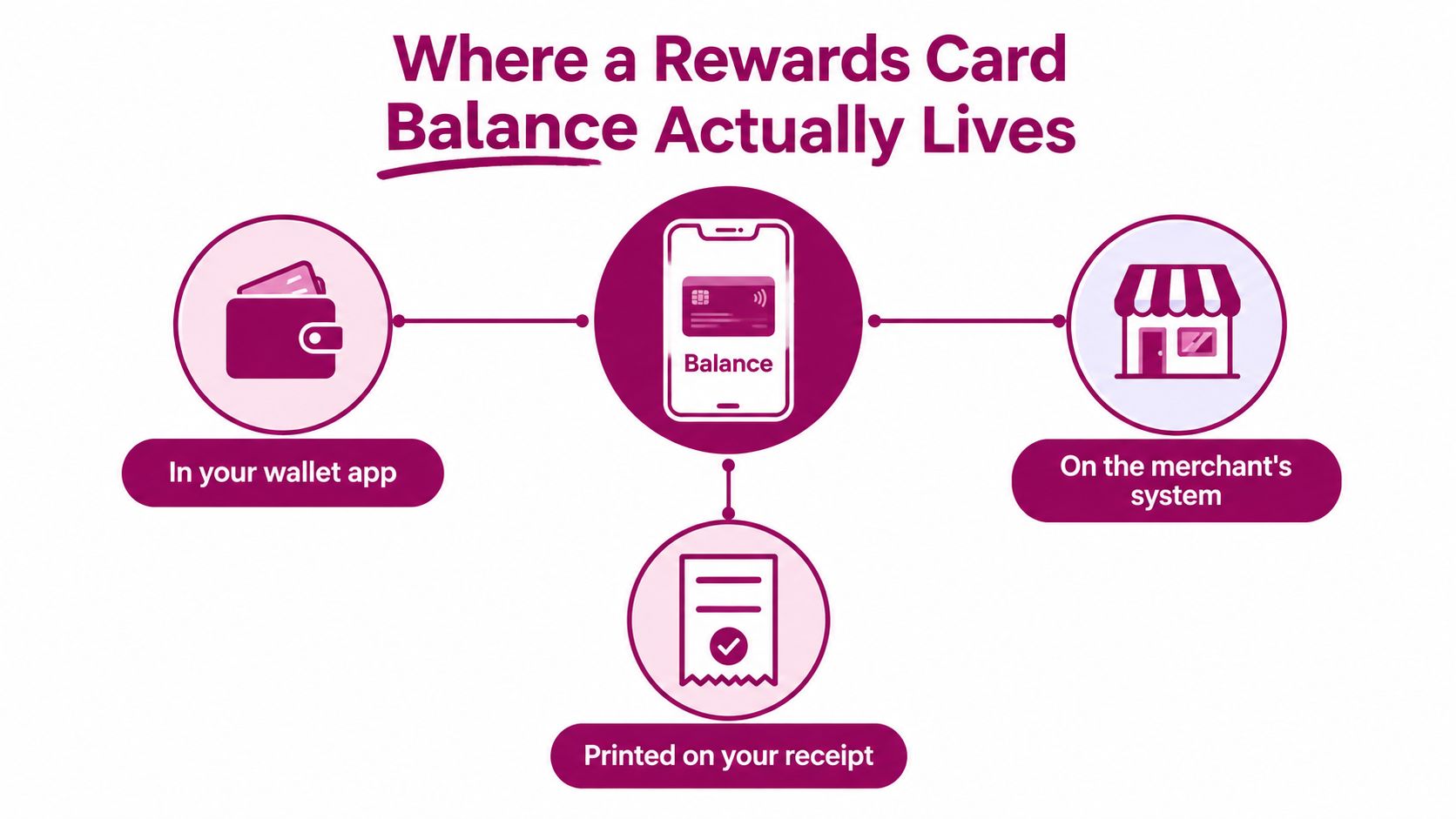
A balance can live in three connected places, and confusion starts when customers don't know which one is the source of truth.
The first is the wallet pass on your phone. This is the card saved in Apple Wallet or Google Wallet, where a points total or digital stamp grid can remain available without opening a separate loyalty app. The second is the merchant's app or website, where you might find account history, reward details, and settings. The third is the merchant's administration screen, where staff record purchases, corrections, redemptions, and refunds.
For a small cafe, salon, bakery, or independent shop, the wallet pass is usually the most useful customer-facing surface. It's already on the device you bring to checkout, and a wallet-native pass avoids asking you to install another app just to check whether you're close to a reward. A platform such as Loyal Customer's wallet loyalty workflow can display a points balance or stamp progress through Apple Wallet and Google Wallet.
Check in this order
- Open the wallet pass. Look for the current points total, remaining stamps, or available reward.
- Check the back of the pass. Rules, expiry information, and contact details often appear there rather than on the front.
- Open the merchant app or website. Use this when you need transaction history or account recovery, not just a quick balance check.
- Ask staff to check the merchant system. The admin view is where the business can confirm whether an earn, adjustment, refund, or redemption was recorded.
Points programs create a balance by assigning value to purchases, while digital stamp cards count qualifying visits or items. Both need a visible current total. A paper card can show marks, but it can't explain whether a returned item removed points or whether a reward expired overnight.
Practical rule: If the wallet pass and the merchant screen disagree, don't guess. Ask which transaction changed the balance and request that staff check the account history.
The merchant system remains the operational record, even when the wallet is the most convenient display. That distinction matters when a phone is offline, a pass update is delayed, or a customer changes devices. A trustworthy program gives the customer a simple view and gives staff enough history to explain every change.
Viewing Your Balance in Apple Wallet or Google Wallet
Start with the wallet pass, not the checkout screen. On many phones, a saved loyalty card can appear as a small preview when you search the wallet or access cards from the lock screen. That preview may show the merchant name and a short balance label, but the full pass contains the useful detail.
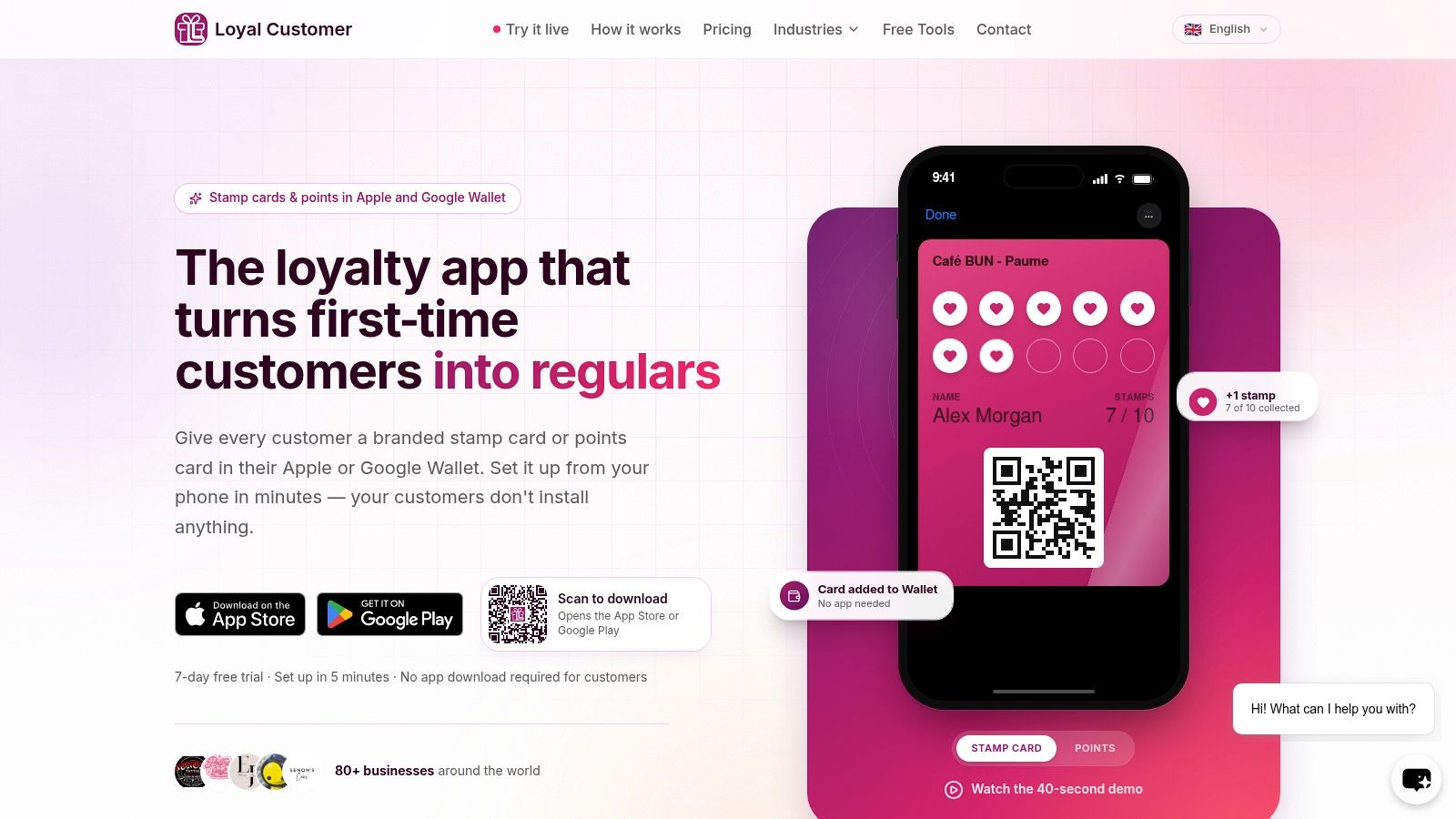
Tap the pass to open it. On the front, look for the points total, reward amount, or stamp grid. A stamp card might show how many visits have been recorded toward the next reward, while a points card may show the available total and a nearby redemption milestone. If the pass includes a barcode or QR code, that's usually what the cashier scans to identify your account.
Use the front and back for different jobs
The front is for fast decisions at the counter. It should tell you whether you have enough stamps or points to use a reward and make the pass easy for staff to identify. The back is for rules and recovery. Tap the information button or the details area to look for:
- Earning rules: What purchase or visit qualifies for points or stamps.
- Redemption rules: Whether you can redeem part of a balance, combine points with cash, or use a reward only after reaching a threshold.
- Expiry information: Whether inactivity or a program rule can remove unused value.
- Contact details: Where to ask for help if the pass is missing or the balance looks wrong.
After a merchant records a transaction, the system can push an updated pass to your phone. The update typically appears when the device reconnects to data, so a fresh total may show within seconds, although a weak connection or delayed notification can make the old display linger temporarily.
Apple Wallet and Google Wallet present the same underlying information through different layouts and notification styles. Apple's pass view often feels like a stack of cards with a clear front and information panel, while Google Wallet groups passes within its own wallet interface. The important test isn't visual consistency between ecosystems. It's whether the balance, rules, and redemption status are readable on the phone you use.
If the pass disappears, search the original email or SMS invitation and use the re-download link. If you changed phones or deleted the pass, ask the merchant to re-issue it from the administration screen. Don't create a second account unless staff confirms that the original can't be recovered, because duplicate profiles can split your earning history.
How Merchants Track and Update the Balance
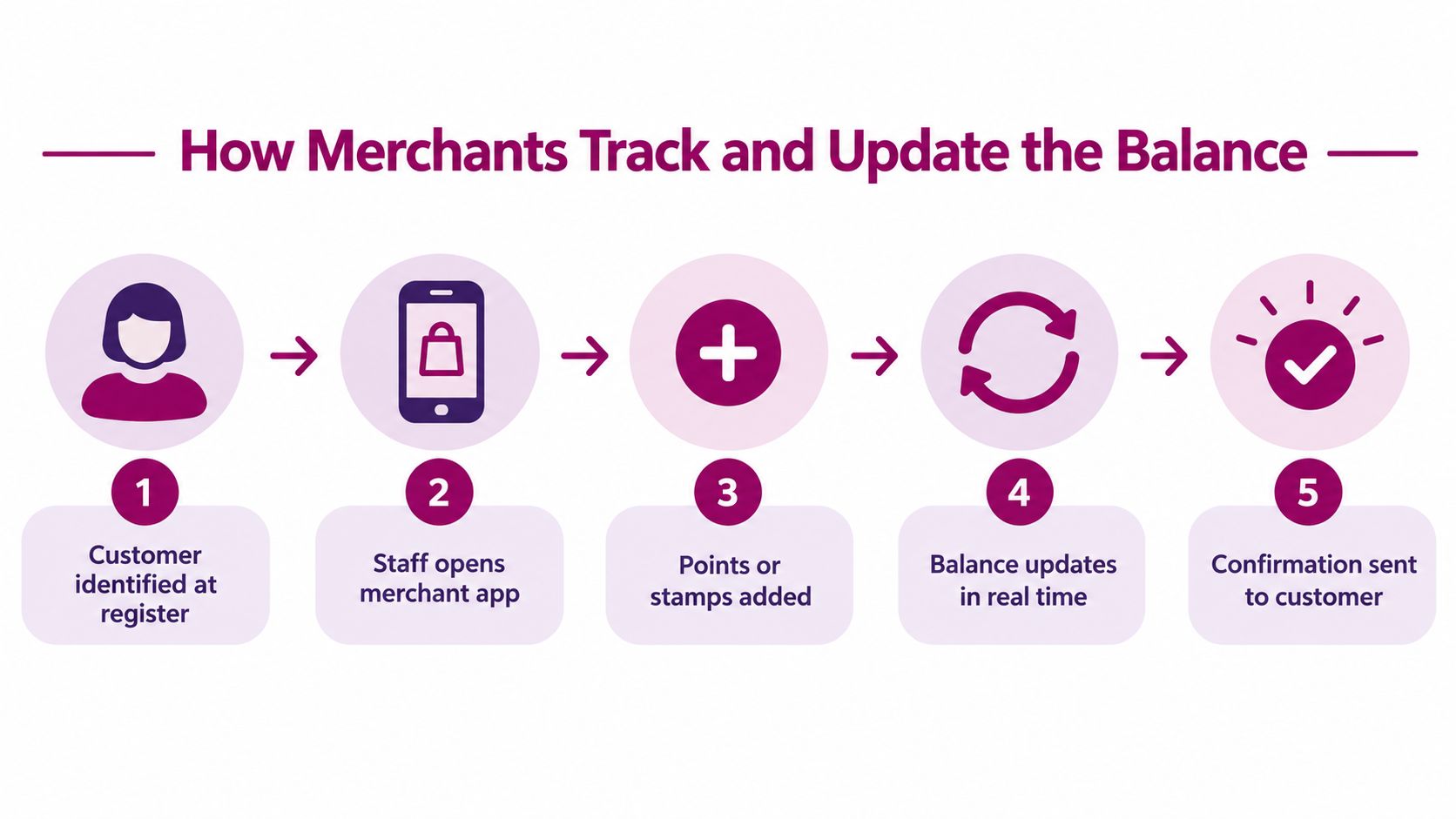
Behind the number on your phone is a sequence of staff actions. A barista, receptionist, or salon manager identifies the customer, opens the merchant tool, scans the wallet pass or searches the account, and records what happened. The customer sees the result only after the merchant confirms the transaction.
A clean workflow separates three event types:
- Earn: Add points or stamps for a qualifying purchase or visit.
- Redeem: Deduct the amount used for a reward or partial payment.
- Adjust: Correct an error, reverse a transaction, or apply an approved manual change with a reason.
The useful detail is not merely the new total. It's the event that produced it. An immutable ledger should preserve every earn, adjustment, expiration, and redemption so staff can answer, “Why did my balance change?” without relying on memory or handwritten notes.
A coffee-card example
Suppose a customer has earned four stamps toward a ten-stamp coffee reward. At the next qualifying visit, staff scan the pass, select the earn action, and confirm the purchase. The customer's wallet then shows the new stamp count after the pass refreshes.
When the customer later qualifies for the free drink, staff select redeem rather than handing over the item and leaving the card untouched. The system records the redemption and resets the stamp grid to zero. The empty grid isn't a loss of history. It's the visible result of spending the completed card.
This approach prevents two familiar problems. A customer can't accidentally present the same paper card after a reward has been used, and staff don't have to settle disputes by counting marks or searching through disconnected spreadsheets. The admin screen can also show the day's earning, redemption, and adjustment activity, which helps the owner spot unusual corrections or a sudden drop in usage.
A balance update should always answer two questions: what changed, and why did it change?
Refunds and manual adjustments need extra care. If a purchase is cancelled, the associated points or stamp may need to be reversed. If staff correct a mistake, the adjustment should carry a reason rather than overwriting the total without one. Customers usually accept a correction when they can see the explanation. They distrust a number that changes without a trace.
Seeing Your Balance at Checkout Without the Awkward Silence
The balance becomes useful when it can be spent during an ordinary purchase. Imagine ordering lunch, showing the wallet pass before the cashier totals the order, and hearing that you have seven points available. You ask to apply five points and pay the remaining amount in cash. The transaction is clear, quick, and easy to verify.
Now compare that with a program that displays seven points but accepts only a full reward, requires a hidden minimum, or makes staff search for a separate redemption screen. The customer sees value but can't use it. That gap turns a loyalty benefit into a checkout negotiation.
Research on paying with points found that 64% of surveyed U.S. consumers preferred the ability to pay with points, 78% said that option would increase engagement, and 38% preferred applying rewards to reduce the current purchase price. These findings come from a 2025 study of 1,000 U.S. consumers reported by The Wise Marketer's paying-with-points research coverage.
What the customer should confirm
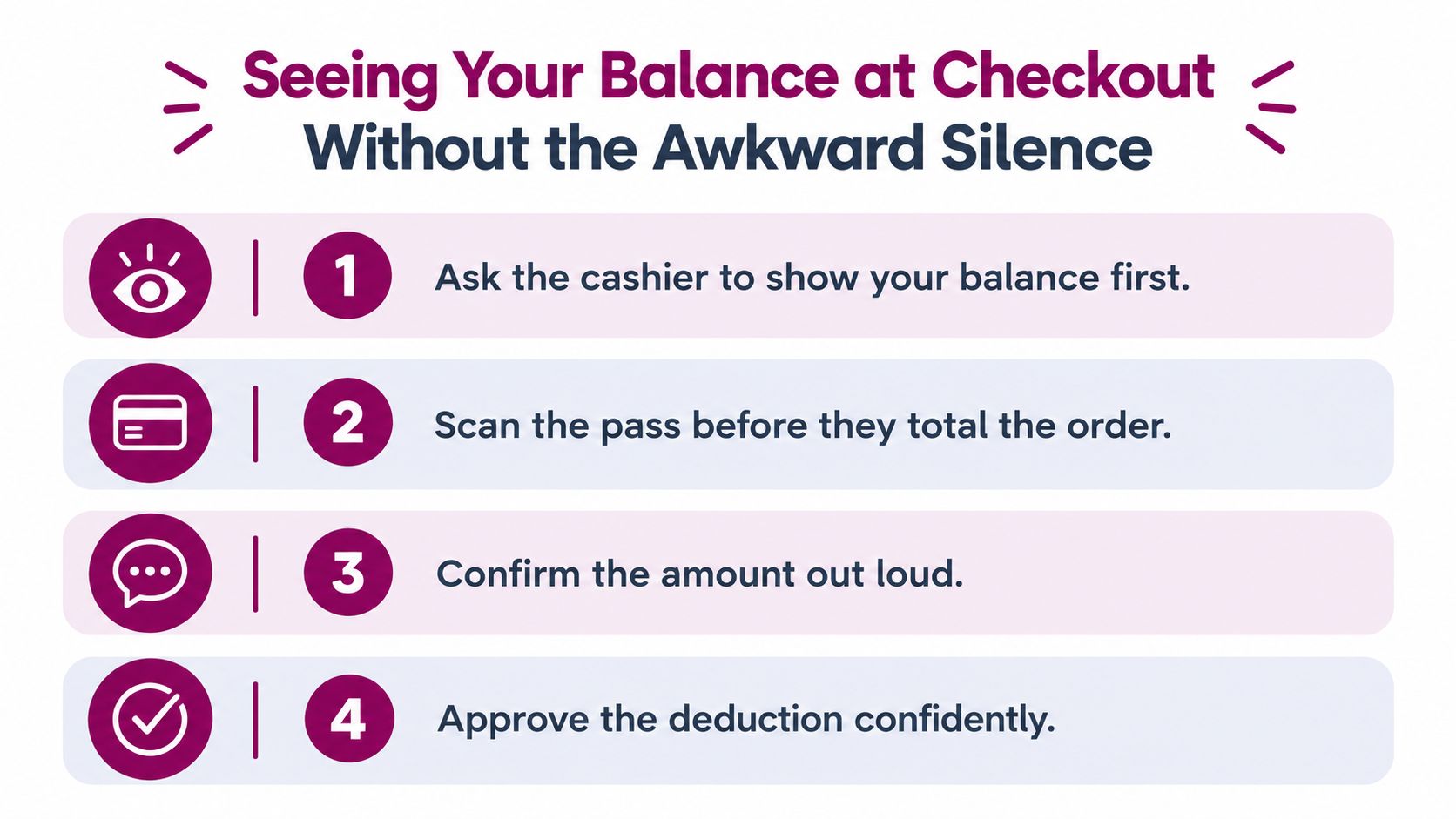
Before the cashier completes the payment, ask four practical questions:
- What's my available balance? Confirm the total before choosing how much to use.
- Can I redeem part of it? Some programs allow flexible deductions, while others require a complete reward.
- Can I combine points with cash or a card? This determines whether a small balance is useful today.
- What will remain afterward? The new balance should be stated or visible before you approve the deduction.
Digital stamps need a slightly different conversation. A stamp card may automatically trigger a reward once the final stamp is added, or staff may need to see the pass and select the redemption action. If the process isn't obvious, the customer can have a completed card and still leave without using it.
For operators, checkout rules belong at the counter, not only in a buried terms page. A visible balance earns trust only when the customer knows how to spend it. The Loyal Customer loyalty card demo illustrates the kind of wallet-based display a merchant can use, but the business still needs to define whether partial redemption, cash combination, and immediate use are supported.
Operator note: A large stored balance isn't automatically a successful program. A smaller balance that customers can understand and use may create a better repeat-visit habit.
Flexible redemption does have a trade-off. If every point can reduce every transaction without limits, the merchant may give away more margin than planned. Set the rule deliberately, show it clearly, and measure the effect on purchase frequency and contribution margin rather than chasing redemption volume alone.
Expiration, Returns, and Why Your Balance Suddenly Changed
Customers usually ask about expiry only after value has disappeared. The rule needs to be visible before that moment, because “my points expired” and “the whole program expired” are different events.
Inactivity-based expiration removes a balance after the customer hasn't earned or redeemed within a stated period. Program-wide expiration applies a broader rule to balances across the program or to a specific reward type. A merchant might choose non-expiring rewards, but whichever policy applies must be written clearly and presented before customers rely on the balance.
A February 2025 consumer study found that 81% of respondents expected rewards never to expire, while consumers aged 45 and older placed particularly high value on non-expiring rewards, at 93%. The same findings identified expiring points, confusing redemption rules, high thresholds, and poor transparency among leading frustrations, as reported by Remesh's consumer loyalty research.
Four events that can alter the number
- A returned purchase: Points or stamps earned from the original transaction may be reversed. The wallet might show a reduced total or a removed stamp.
- A manager adjustment: Staff may correct a missed earn or an accidental duplicate. The change should appear as an adjustment in the account record.
- An expiry event: The pass may show a lower total, an expired reward, or a notice explaining what was forfeited.
- A rule update: A threshold, qualifying purchase, or expiry policy can change. The merchant should publish the effective rule and communicate it through the pass or account channel.
The back of the wallet pass should provide a plain-language explanation or a link to the full rules. “Points expire after inactivity” is more useful than a legal phrase that leaves customers guessing about what counts as activity. The page should also explain whether refunds reverse rewards and whether points post immediately or only after a transaction settles.
Make forfeiture hard to miss
Merchants should send a reminder before an expiry date, show the date beside the balance, and preserve the event that caused the deduction. Customers should keep the pass installed and check its information panel before assuming that a missing reward is a technical error.
For accounting, issued points that create a material customer right should be treated as a separate performance obligation under IFRS 15 and ASC 606. A defensible process allocates part of the transaction price to those points, carries it as deferred revenue, and recognizes it when points are redeemed or expire. Historical cohorts can help estimate breakage, and the estimate should be updated as redemption behavior changes. The Qurable loyalty accounting overview describes cohort-based tracking and cautions against applying one global breakage assumption to every customer.
That discipline benefits customers too. When the merchant tracks balances by earning date and keeps a record of redemptions and expirations, staff can explain a change instead of treating the balance as an unexplained black box.
Troubleshooting Common Balance Issues
Most balance complaints fall into three buckets: the number looks wrong, the balance is missing, or the balance is visible but unusable. Resolve them in that order. Start with the transaction record, then check the pass, and only then investigate program rules.
The balance looks wrong
First, refresh the pass after reconnecting the phone to mobile data or Wi-Fi. A wallet update may be waiting for the device to reconnect. Next, ask whether a recent refund or cancellation reversed an earlier earn. Finally, have staff check the ledger for a duplicate earn, a manual adjustment, or a redemption that was recorded but not understood at checkout.
The merchant should never fix this by overwriting the total. Find the event, confirm the reason, and create a correcting event with a note. That keeps the customer's history auditable and helps the owner identify whether the problem came from staff training, a refund workflow, or a delayed pass update.
The pass shows nothing
A missing balance often means the customer is looking at a newly installed pass, a different account, or a pass that was removed when they changed devices. Search the original email or SMS invitation and re-add the pass. If that doesn't work, ask the merchant to re-issue it from the admin screen after verifying the account identity.
The merchant should check whether the original customer profile still contains the earning history. Creating a fresh profile may make the new pass look empty while leaving the balance attached to the old record. Re-issuing the existing credential is usually safer than starting over.
The balance can't be redeemed
If the total is correct but checkout rejects it, check the minimum threshold, expiry status, eligible products, and whether the program permits partial redemption. Some digital stamp cards require staff to activate the reward rather than deducting a cash-equivalent amount.
One reported benchmark places average redemption at 48.6%, meaning roughly half of issued points remained unused in that dataset. Treat that figure from Antavo's loyalty analytics discussion as a diagnostic reference, not a universal target. A higher redemption rate can reflect better activation, but it can also reflect discounts that reduce contribution margin.
The same source reports that members who redeemed at least once had 6.3 times higher lifetime spend than members who never redeemed. That makes first redemption a useful activation measure, but it doesn't justify making every reward easy to claim without checking profitability. Track the path from positive balance to first redemption, then from redemption to another purchase.
Designing a Balance Customers Actually Trust
A trustworthy rewards card balance needs three properties: visibility, explainability, and usability. Keep the live total on the wallet pass, put earning, expiry, and refund rules in plain language, and record every change as an event that staff can explain. Customers should not need to reconstruct their own account from receipts.
Customers can help by keeping the pass installed, checking the back for rules, and asking staff to confirm the deduction before payment. A small redemption isn't wasted progress. It gives the program a chance to prove that the balance can move in both directions.
The mature credit-card rewards market has made customers familiar with balances as a financial or quasi-financial record. The Consumer Financial Protection Bureau reported that consumers earned more than $40 billion in rewards from major general-purpose credit cards in 2022, an increase of more than 50% compared with 2019, while outstanding consumer rewards balances exceeded $33 billion at the end of 2022, up 40% from the fourth quarter of 2019. Those figures appear in the CFPB credit-card rewards issue spotlight, and they help explain why customers expect balances to be visible and rules to be simple.
For merchants, review these measures monthly:
- Positive-balance members: How many active customers have value waiting?
- Redemption rate: How much of what you issue gets used?
- First-redemption rate: How many customers cross the activation point?
- Time since last activity: Which balances risk becoming forgotten or expired?
For a broader comparison of the physical and digital trade-offs, see digital versus paper loyalty cards. The winning design isn't the one with the most elaborate rewards catalogue. It's the one that lets a customer look, understand, and spend without an awkward conversation.
Loyal Customer lets cafes, salons, restaurants, retailers, and other small businesses run points programs or digital stamp cards from a phone, with wallet-ready passes for Apple Wallet and Google Wallet. Visit Loyal Customer to start a free trial, put the balance where customers can see it, and test a checkout flow that your staff can explain in a few taps.